

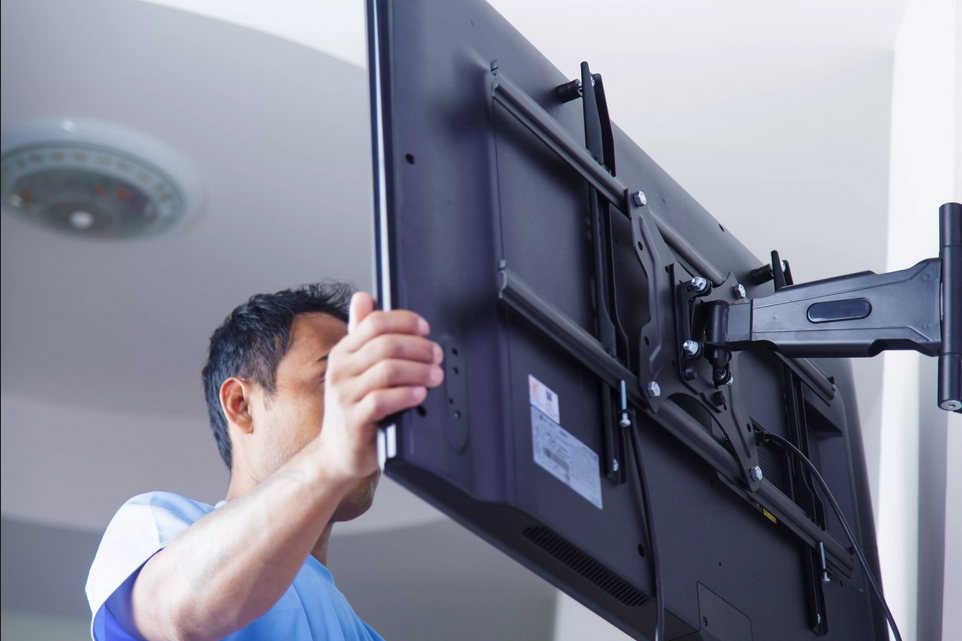
Mounting a TV on the wall saves space and gives a clean look. Many homeowners do the job themselves when they follow the right steps. Professional installers say the biggest problems come from weak walls or a mount that is not level. These tips cover the main points so the TV stays secure and looks good.
Choose the right mount and location. Measure your TV and check the VESA pattern on the back. That is the set of holes where the mount attaches. Pick a mount rated for your TV’s weight and size. Decide where the screen will go. Most people hang it so the center of the screen is at eye level when seated. Leave enough space above furniture and away from windows that cause glare.
Find the studs. Drywall alone will not hold a TV. Use a stud finder to locate the wooden studs behind the wall. Mark the centers of two studs if possible. The mount needs to attach to solid wood for strength. If your wall has metal studs or is masonry, you may need special anchors or a different approach. Pros always confirm the wall can support the weight before drilling.
Read More: How Modern Hot Rolling Technology Improves Steel Strength & Efficiency
Turn off the power and gather tools. You will need a drill, level, screwdriver, stud finder, tape measure, and the hardware that comes with the mount. Unplug the TV and any devices. Clear the area so you have room to work. Having a helper makes the job safer when you lift the TV onto the mount.
Mark and drill the holes. Hold the wall plate against the wall at the height you chose. Use a level so it sits straight. Mark the screw holes. Drill pilot holes into the studs. The pilot holes should be slightly smaller than the lag bolts that come with the mount. This keeps the wood from splitting and makes the screws easier to drive.
Attach the wall plate. Screw the plate into the studs with the lag bolts. Tighten them firmly but do not overtighten. Check the level again after the plate is secure. A crooked plate will make the TV look tilted no matter how carefully you hang it.
Prepare the TV. Attach the vertical brackets or arms to the back of the TV using the screws that fit the VESA holes. Do not use screws that are too long or they can damage the TV. Most mounts include the correct hardware. Double-check that the brackets are tight.
Hang the TV. Lift the TV onto the wall plate with a helper. Most mounts click or lock into place. Make sure the TV is fully seated and locked before you let go. Some mounts let you tilt or swivel after hanging. Adjust those settings once the TV is secure.
Connect the cables. Run power and HDMI cables neatly. You can hide them in a cable cover or in-wall kit if you want a clean look. Plug everything in and test the TV before you finish. Check that the screen is level and the mount feels solid.
Read More: Discover the Best Restaurants in Dubai with Burj Khalifa View
Do a final safety check. Gently tug on the TV to confirm it does not move. Make sure nothing is loose. Keep the instructions and extra hardware. A properly mounted TV should stay in place for years. When the wall type is unusual or the wiring looks complicated, many people call a professional installer. Taking time on the studs and level keeps the job safe and the screen looking straight. A solid mount gives you a cleaner room and a better viewing angle.